

Hardwired WiFi Switch Support
Main Products
Do you need support or specifications for a specific model? Identify your model below.
Support Questions
Showing 10 of 34 questions
Yes, most of our wall-mounted towel warmers have a fixed power location in the lower right corner. All of our heated towel racks are electric "dry" (liquid/oil-free) units and most can be installed "upside down". Doing so will result in the power location relocating from the lower right corner to the upper left corner.
Please see the installation video here: https://www.warmlyyours.com/en-US/videos/towel-warmer-install
A WarmlyYours electric towel warmer can't be installed in a tub or shower enclosure. A WarmlyYours electric heated towel rack should be installed at least 24” away from a wet location like a shower, tub, etc. Always install a WarmlyYours electric towel warmer in compliance with all local building and electrical codes.
Yes. WarmlyYours towel warmers are to be installed in accordance with the instructions in the manual and CEC, NEC, and local code guidelines relating to electrical fixtures in bathrooms. A towel warmer with a hardwired connection must be on a GFCI-protected circuit and be wired by a professional who is certified to do electrical wiring. Towel warmer models with plug-in connections should be used with a GFCI outlet.
WarmlyYours towel warmers are all 120VAC units. Towel warmers are available in wattages from 35 watts all the way up to 250 watts. A single towel warmer would typically range from 1-2 amps based on the model. Wire size and breaker size need to be selected based on the total amperage of the towel warmer(s). For towel warmers installed in bathrooms, a GFCI breaker is required.
Yes — when the My Leviton app has a scheduled event programmed, that event will override any manual change at the time it fires.
For example: if the app is set to turn the towel warmer off at 9:00 AM and you manually turn it on at 8:50 AM, the app will switch it back off at 9:00 AM as programmed.
To keep your manual override in effect:
- Disable or delete the scheduled event in the My Leviton app before making your manual change, or
- Use the switch's physical button after the scheduled event fires — the switch will stay in the manually set state until the next scheduled event triggers.
This behavior applies to the Hardwired WiFi Switch (GK16-30090-0003) used with the My Leviton app.
A GFCI/GFEP (Ground Fault Circuit Interrupter / Ground Fault Equipment Protection) works differently than a circuit breaker by specifically detecting a small imbalance in electrical current between the hot and neutral wires, which indicates a potential ground fault (like a person touching a live wire), and instantly shutting off the power to prevent shock, while a circuit breaker only trips when there's a significant overload in current flow on the circuit, like a short circuit or too many appliances plugged in.
Yes, a regular (non-dimming) light switch can be used as an external switch to control a towel warmer, in addition to the built-in switch on the towel warmer itself.
However, do not use a dimmer switch — dimmer switches are not compatible with electric towel warmers and can damage the unit or create a safety hazard.
Note: A GFCI breaker powering the switch may be required by local Electrical Code.
Within the Product Dimensions of the WarmlyYours web page for your particular Towel Warmer, it is listed as the general 'Mounting Footprint'. Measure all dimensions of the delivered product prior to rough-in and installation because continuous improvements in the product may affect the finished dimensions.
If the Hardwired WiFi Switch (GK16-30090-0003) is switching your towel warmer off unexpectedly, work through these steps in order:
-
Check for hidden schedules or automations
In the My Leviton app, review all scheduled events, Scenes, and Rules — not just the main schedule. An automation rule (e.g., "turn off at sunset") can trigger the switch even if no timed schedule is visible. -
Update the switch firmware
Open My Leviton → Device Settings for the switch → check for a firmware update. Outdated firmware is a common cause of unscheduled switching behavior. -
Soft-reset the switch
Turn off the circuit breaker controlling the WiFi switch, wait 10 seconds, then turn it back on. This resets the switch without clearing your app settings. -
Factory reset and re-pair
If the issue persists: in My Leviton go to Device Settings → Remove Device, then re-add the switch from scratch. This clears all stored rules and schedules on the switch itself.
If none of these steps resolve the issue, contact WarmlyYours technical support at 1-800-875-5285 (available 24/7).
Test the ohms of the unit to verify that it is within 5-10% of the resistance indicated in specs. Verify that there is at least 110 volts present into and out of the power supply. If the ohms are too high, the warmer will feel cooler. The lower the voltage, the cooler the unit.If these values are within specs, the towel warmer is working as designed.
If you are able to connect the mobile device to the Decora Smart Wi-Fi device (Step 2), but are getting a message that the device is unable to enroll please follow these troubleshooting step:
- Factory Reset the Decora Smart Wi-Fi device by pressing and holding the top paddle for 15 seconds (until the LED begins to flash red and amber), then release the paddle. After a few seconds, the LED will flash green.
- Pay attention to the Status LED during the remainder of the enrollment process. When you get to the step where the device joins your Wi-Fi network (right after you select your Wi-Fi network and enter the password):
What is the color and state on the LED?- If the LED is solid green (or turns completely off if the light it is controlling is on), then please follow the steps in the following article: Device Does not Connect to Cloud
- If the LED flashes amber, please make sure that you are entering the correct password for the Wi-Fi network that you are connecting to. The password is case specific. You can press the eye icon to see the text to make sure you entered it correctly.
- If your router has 2.4GHz and 5GHz Wi-Fi signals on the same Network Name (SSID), try splitting these out into different Wi-Fi network names.
- For example, if you router uses the same Network Name (SSID) for both the 2.4GHz and 5GHz band. The modification is to change the name of the 5GHz SSID, so that it has a different name from the name of the 2.4GHz SSID. The recommendation is to add the number 5 to then end of the existing name. For example, if the name of your SSID is Jones, then change the name of the 5GHz SSID to Jones5.
- Attempt to enroll the device again after following all of these steps to see if you are successful. If not, please contact our technical support team at dssupport@leviton.com. Please include the type model number of the Decora Smart device and the brand and model of your wireless router.
- For additional help, you can call our support department.
Visit the Towel Warmer Controls page and scroll down to the Documents & Articles section. Find the timer model that matches yours and open its product page to access the installation manual and programming guide.
The three current hardwired controls are:
- Hardwired 4-Setting Countdown Timer (GK16-30090-0006) — select one of four countdown durations; no programming required
- Hardwired Programmable Timer (GK16-30090-0002) — up to 50 on/off events per week with a 7-day schedule
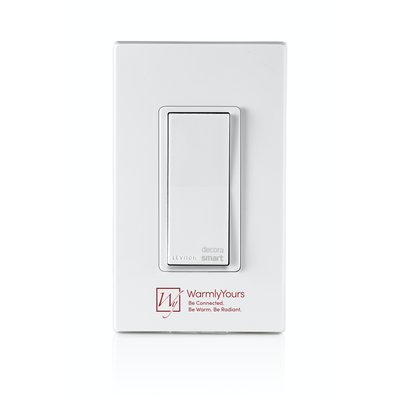
- Hardwired WiFi Switch (GK16-30090-0003) — app-based scheduling via My Leviton (iOS/Android)
If you received an older PLS750C bundled timer with your towel warmer purchase, its manual is also available on that page under Documents & Articles.
Can't find what you need? Contact WarmlyYours technical support:
- Phone: 1-800-875-5285
- Available 24/7 for installation and programming support
A good starting point is to follow the recommendation often provided in the installation manual. The location of your electric towel warmer should take building code, safety, functionality, and aesthetics into consideration. If the towel warmer is mounted too low, towels may drag on the floor, causing tripping or mold issues. Mounting it higher reduces risk of burn, especially for children or those who may accidentally bump into it. If you are unsure what height is best for you, consult your WarmlyYours representative at +1 (800) 875-5285.
No — WarmlyYours electric towel warmers are not a fire hazard when used as directed. Here's why:
- TempSmart™ overheat protection: Every model (except the Elements) includes a built-in internal temperature limiter that automatically shuts the unit down if the surface exceeds 149°F (65°C) or 167°F (75°C) depending on the model — well below any threshold that could cause ignition.
- UL499 tested: All models are tested to UL499 standards, which specifically evaluate surface temperature limits and fire safety.
- cULus and cETLus listed: Independent certification confirms the units meet North American electrical safety requirements.
- IP44 rated: Protected against moisture ingress — safe for bathroom environments where water and electricity are in proximity.
As with any electrical appliance, towel warmers should never be covered with towels that block airflow entirely, and should be installed with the minimum clearances specified in the installation guide. Used correctly, they are one of the safest bathroom heating appliances available.
It depends on the type of repair:
- Switch replacement (plug-in models): Yes — this is a DIY-friendly repair. The switch can be removed, tested with an ohmmeter, and replaced without any electrical expertise.
- Switch replacement (hardwired models): The switch swap itself is simple, but because the unit is connected to your home wiring, we recommend having a licensed electrician handle any wiring-related work.
- Timer or control issues: Often resolvable by resetting the timer or checking power. No tools required.
- Heating element failure: This is not a DIY repair. Contact WarmlyYours support — depending on the unit's age, a replacement may be the better option.
WarmlyYours offers free 24/7 technical support at 800-875-5285 to help diagnose any issue before you attempt a repair.
Yes — that's exactly what dual connection towel warmers are designed for. Here's how the conversion works:
- Start plug-in: The unit ships with a standard plug-in cord. Mount it to the wall and plug it in — no electrician needed.
- Decide on permanent placement: Once you've found the ideal location, have a licensed electrician convert the connection.
- Remove the cord: The electrician disconnects the plug-in cord and wires the unit directly into your home's electrical circuit.
- No cover plate needed: Dual connect models are designed without a junction box cover plate, so the finished installation looks clean and balanced.
The unit maintains its cETLus safety listing in both configurations. This flexibility is ideal for homeowners who want to install now and renovate later, or who aren't sure about permanent placement yet.
Yes! Unlike bucket-style warmers designed only for dry towels, heated towel racks with exposed bars are built to handle both wet and dry towels. In fact, drying damp towels is one of the primary benefits of owning a heated towel rack.
Drying wet towels: The gentle warmth (typically 100-140°F on the bars) evaporates moisture, keeping towels fresh and reducing musty odors and mildew. Most towels dry within a few hours depending on thickness and bathroom humidity.
Warming dry towels: Hang dry towels about 15-30 minutes before your shower or bath for a luxuriously warm towel when you step out—like a spa experience at home.
Tips for best results:
- Spread towels across multiple bars rather than bunching them up
- This maximizes surface contact with the heated bars and speeds drying
- Our heated towel racks are UL/cUL listed for safe use in humid bathroom environments
Yes — WarmlyYours towel warmers are designed to operate continuously and safely. TempSmart™ overheat protection automatically regulates surface temperature, preventing it from exceeding safe limits regardless of how long the unit runs. That said, most homeowners use a programmable timer or countdown timer to run the warmer only when needed — typically 30 minutes to 2 hours before showering — which also reduces energy consumption. A 150-watt towel warmer costs approximately C$0.53/day per day to run continuously, making it one of the most energy-efficient bathroom comfort appliances available.
The dash represents the "on" position because it signifies a closed circuit, allowing power to flow. The O represents the "off" position, indicating an open circuit where power is disconnected. You can further identify the on/off state of the towel warmer by the LED coming on around the switch when powered.
Replacing a towel warmer switch is straightforward and can usually be done in minutes:
- With the switch already detached from testing, make note of which wire connects to which pin before disconnecting anything.
- Disconnect the wires from the old (faulty) switch.
- Connect your new replacement switch using the exact same wire-to-pin configuration.
- Before sliding the switch back into the towel warmer body, locate the ridge on the switch and the matching ridge on the rubber protective cover — these must align with the ridge inside the towel warmer housing for the switch to seat correctly.
- Slide the switch back into place and snap the rubber cover over it.
- Restore power and test the unit.
Replacement switches are available through WarmlyYours. Call 800-875-5285 or visit the towel warmer support portal to order the correct part for your model.
To test your towel warmer switch, you'll need a digital ohmmeter and a small screwdriver. Here's how:
- Use a small screwdriver to remove the rubber cover and gently pry the switch from the towel warmer body.
- Disconnect the wires from the metal pins at the back of the switch. You'll see two silver pins and one gold pin.
- Attach the ohmmeter probes to the two silver pins and set the ohmmeter to read ohms.
- Toggle the switch on and off. If the reading on the ohmmeter display does not change, the switch has failed and must be replaced.
- If the reading does change, the switch is functioning — the issue lies elsewhere (power supply, timer, or heating element).
WarmlyYours technical support (800-875-5285) can walk you through this process and ship a replacement switch if needed.
A quality electric towel warmer made from 304-grade stainless steel will typically last 25 years or more with normal use. WarmlyYours towel warmers are built to this standard and backed by a 2–5 year warranty depending on model.
The most common component to fail over time is the on/off switch — not the heating element or the stainless steel body. Switches are inexpensive and easy to replace, so a switch failure doesn't mean the unit needs to be discarded.
Lower-quality towel warmers made from chrome-plated steel or lesser alloys can begin to rust or corrode within a few years, especially in humid bathroom environments. Always look for 304-grade (18/8) stainless steel construction and a cULus or cETLus safety listing when purchasing.
Most WarmlyYours towel warmers reach their optimal operating temperature within 15 to 20 minutes. For the best results, we recommend hanging your towels on the unit at least 30 to 45 minutes before use. This allows enough time for the heat to penetrate the fabric layers and provide a cozy experience.
Before you begin, please verify that you are attempting to enroll a Decora Smart Wi-Fi device. The first 2 characters of a Decora Smart Wi-Fi device is DW (e.g. DW15S, DW6HD, DW15P, etc.). If the device begins with a DHor DZ (e.g. DH15S, DZ15S, etc.), it is not a Decora Smart Wi-Fi device and cannot be used with My Leviton.If you are having trouble connecting your Decora Smart Wi-Fi device to your Wi-Fi network, take note of where the failure is occurring during the process (as described below), and follow the troubleshooting procedures for that step in the process. Refer to this article for all of the steps in the process: Add a Decora Smart Wi-Fi Device to the My Leviton App
Also, make sure that the mobile app that you are using is named My Leviton. Other Leviton mobile apps, such as Decora Smart Home or Decora Digital Dimmer & Timer cannot be used for Decora Smart Wi-Fi devices.
In Step 2 of the process, where you attempt to connect directly to the Decora Smart Wi-Fi device that is listed in the Wi-Fi networks (it will be listed in the format of Leviton Device-xxxx), instead of connecting you receive a message stating it is "unable to connect" or simple never connects (e.g. no check mark next to the device).
If the device connects and you see this screen, skip to Decora Smart Wi-Fi device will not connect to the Wi-Fi Network or Leviton Cloud.
If the mobile device does not connect to the Decora Smart Wi-Fi device at this step, please follow these troubleshooting step:
- Make sure you have the latest version of the My Leviton App. To ensure that you are running the latest version of the app, check for a My Leviton app update on the Apple App store or Google Play store.
- If available, try using a different mobile phone or tablet running the My Leviton app. Follow Steps 1 and 2 and see if you are able to connect to the device. If you are able to connect, see if you can complete the process.
- Contact our technical support team at dssupport@leviton.com. Please include the type and model of mobile devices you are using and the model number of the Decora Smart device.
WarmlyYours towel warmers meet rigorous North American and international safety standards, including:
- cULus and cETLus listed — certified for electrical safety in both the U.S. and Canada
- IP44 rated — protected against moisture ingress, suitable for bathroom installation
- UL499 tested — surface temperature limits verified under standard test conditions
- TempSmart™ overheat protection — proprietary internal limiter that caps surface temperature at 149°F (65°C) or 167°F (75°C) depending on the model
WarmlyYours founder Julia Billen has personally contributed to shaping these standards through active participation in TC61 USTAG (IEC appliance safety), STP 1673, STP 1042, and the Infrared Heating Panel Association — ensuring that WarmlyYours products not only meet the standards but help define them.
The ideal location for your towel warmer depends on your bathroom layout and how you plan to use it. Here are the best placement options:
1. Near the shower or tub (recommended)
Install your heated towel rack within arm's reach of your shower or bathtub, but outside the splash zone. This lets you grab a warm towel immediately when stepping out. Electrical codes require towel warmers to be at least 24 inches from the edge of a bathtub or shower.
2. On an interior wall
Mounting on an interior wall (not an exterior wall) can make installation easier and may provide better heat retention. Interior walls often have easier access for electrical wiring.
3. Away from drafts
Avoid placing your towel warmer near windows, doors, or HVAC vents where drafts could reduce its efficiency.
4. At proper height
Wall-mounted towel warmers are typically installed with the bottom bar about 24-36 inches from the floor, allowing easy access while keeping towels off the ground.
Freestanding option: If wall mounting isn't ideal, our freestanding towel warmers offer flexibility—place them anywhere with access to a standard outlet.
If your towel warmer was working fine and suddenly stopped, work through this checklist:
- Check power first: For plug-in models, verify the outlet is working and the GFCI hasn't tripped (press the reset button). For hardwired models, check your circuit breaker panel.
- Check the timer: If the unit has a countdown or programmable timer, it may have reached the end of a cycle. Reset or manually switch it on.
- Test the switch: A failed switch is the #1 cause of sudden stoppage. Use a digital ohmmeter to confirm.
- Check for overheating: WarmlyYours models with TempSmart™ technology will automatically shut off if a towel is bunched directly against the surface for an extended period. Remove any obstructions and allow it to cool before restarting.
- Inspect wiring connections: For hardwired models, loose wire connections can cause intermittent failure. This should be inspected by a licensed electrician.
If none of these resolve the issue, contact WarmlyYours support at 800-875-5285 — free 24/7 technical assistance is available.
GFCI can fail for various reasons, such as wear and tear, moisture, corrosion, power surges, faulty wiring, or improper installation. Some of these causes can be prevented by regular inspection and maintenance, while others may require professional assistance. It is important to note that GFCI devices (ex. thermostat, breakers, outlets) should be tested regularly as these do wear out over time.
The most common reasons an electric towel warmer stops heating up are:
- Faulty switch: The switch is the most frequent culprit. Test it with a digital ohmmeter — if the reading doesn't change when you toggle it on and off, the switch has failed and needs replacing.
- No power supply: Check that the unit is plugged in (plug-in models) or that the circuit breaker hasn't tripped (hardwired models). Confirm the GFCI outlet hasn't been tripped — press the reset button on the outlet.
- Timer not set correctly: If your towel warmer has a programmable timer or countdown timer, it may simply be in the off cycle. Check the timer settings.
- Failed heating element: Less common, but the internal heating element can fail after many years of use. Contact WarmlyYours support at 800-875-5285 to diagnose.
Start by testing the switch — it resolves the majority of "not heating" issues without needing a service call.
Documents
Publications
Sell Sheets
Installation
- Hardwired 4-Setting Countdown Timer Installation and Operation Instructions DT104 (English)
- Hardwired Timer and Switch Generic Wiring Diagram (English)
Operation Manuals
- Hardwired WiFi Switch Getting Started Guide (2nd Gen) (English)
- Hardwired WiFi Switch Installation Manual (French)
- Plug-in WiFi Switch and Hardwired WiFi Switch App Overview (English)
Technical Information
- Hardwired Timer and Switch Spec Sheet (English)
- Hardwired WiFi Switch Spec Sheet (English)
- Hardwired WiFi Switch Spec Sheet (French)