

Installation and Repair Parts Support
Main Products
Do you need support or specifications for a specific model? Identify your model below.
Support Questions
Showing all 5 questions
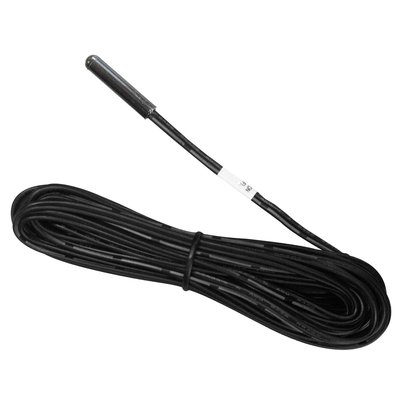
WarmlyYours has recently begun including floor sensors with our heating elements to help ensure customers will have everything they need for optimal operation of their radiant heating systems.
The sensor included with your floor heating element can be installed with the heating system (the sensor is equally spaced between runs of the heating wire--see your install manual for more info). Installing this sensor with your floor heating control will enable energy efficient operation of the floor warming system based on the floor temperature instead of the ambient room temperature.
We generally recommend that you install a second, unconnected backup floor sensor alongside the primary one. In the very unlikely event that your first floor sensor is damaged, this install method will save you from having to pry up flooring to replace a floor sensor. You simply disconnect the damaged sensor from the thermostat and connect the backup sensor.
In addition to the floor sensor that was included with your heating element, our nSpiration Series thermostats also come with a floor sensor. If you purchase both a heating element and an nSpiration Series thermostat from WarmlyYours, you'll have a primary and a backup floor sensor for your system.
Error code “E2” means the floor sensor is defective, damaged or not connected. Check the connections, and replace the sensor if needed. Test the sensor with a digital multimeter on the 20k scale. Because the sensor is a thermistor, its resistance changes with temperature: it typically reads about 8kΩ–15kΩ at normal room temperature, lower when warm and higher when cold. A reading of 0 ohms or OL (open line) indicates a failed sensor. Only one floor sensor can be connected to a thermostat.