
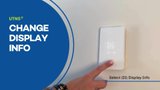
How to change display info on the nTrust 2.0 (UTN5) nonprogrammable thermostat
How to change display info on the nTrust 2.0 (UTN5) nonprogrammable thermostat
I'm sorry, but it seems that there is no transcript text provided for me to convert into natural paragraphs. Please provide the text you'd like me to work on, and I'll be happy to assist you!
Transcript
I'm sorry, but it seems that there is no transcript text provided for me to convert into natural paragraphs. Please provide the text you'd like me to work on, and I'll be happy to assist you!
Related Resources
-

PDF · NTRUST-2-0-LED-TOUCH-THERMOSTAT-USER-MANUAL-A
nTrust 2.0 UTN5 Touch Nonprogrammable Thermostat User Manual (English)
-

PDF · SETTING-UP-THE-NTRUST-2-0-UTN5-4999-A
Setting Up the nTrust 2.0 UTN5-4999 (English)
-

PDF · NTRUST2-0-UTN5-STARTUP-GUIDE-CANADA-A
nTrust 2.0 UTN5 Touch Nonprogrammable Thermostat Startup Guide (English, French)
-
Product · UTN5-4999
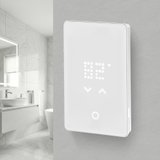
nTrust 2.0 Touch Nonprogrammable Thermostat
Enjoy the comfort of radiant heating with effortless control using the newly updated nTrust 2.0 Nonprogrammable Thermostat. Designed for ease and dependability, this thermostat ...
-
Video
How to Change Settings on the nTrust 2.0 Thermostat
Learn how to customize your nTrust 2.0 thermostat. This video shows you how to adjust key settings like temperature, screen brightness, and flooring type f
-
Video
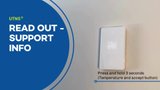
How to read out support info on the nTrust 2.0 (UTN5) nonprogrammable thermostat
Need to troubleshoot your nTrust 2.0 thermostat? This video shows you how to find key diagnostic details like firmware version and system status for fast,
-
Video
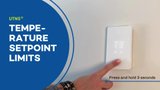
How to set the temperature setpoint limits of a nTrust 2.0 (UTN5) nonprogrammable thermostat
Learn how to set the temperature setpoint limits on your nTrust 2.0 thermostat. This ensures optimal comfort and energy efficiency by controlling your floo
-
Video
How to Install the nTrust 2.0 Thermostat
I'm sorry, but it appears that the text you provided is incomplete or not visible. Please provide the full transcript text that you would like me to co...

Related Questions
Showing all 1 questions
To completely power off the thermostat, turn off the circuit breaker controlling the thermostat.
Alternatively, put the thermostat into Standby/Frost Protection mode by pressing the lower right button once. A Standby icon will show for a few seconds before it fades out. The thermostat is now in standby. To exit standby, press the lower right button for a moment.
Need Help with Your Project?
Our team of Radiant Experts are ready to help! Contact us about your project to get started.
Contact Us About Your Project
