
Thermostats and Power Relays Support
Main Products
Do you need support or specifications for a specific model? Identify your model below.



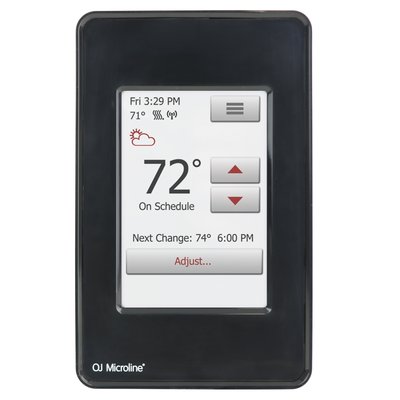
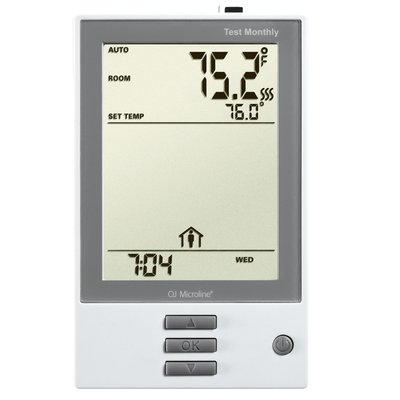
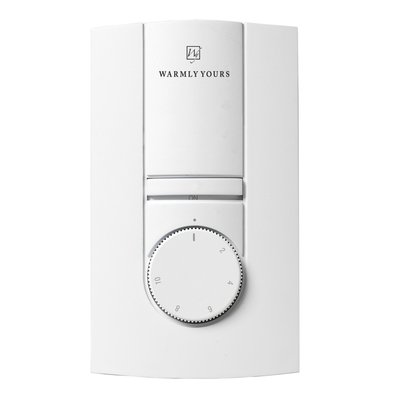
Support Questions
Showing 10 of 39 questions
The breaker and wire sizes are selected based on the total amperage of the WarmlyYours heating system connected to a single thermostat. This information is on the WarmlyYours heating system's installation plan, electrical plan, or UL label. Based on guidelines from the National Electrical Code: loads up to 16 Amps may utilize 12 gauge wire with a 20-Amp breaker, and loads up to 12 Amps - 14 gauge wire with a 15-Amp breaker. Local code and/or other factors may change these guidelines.
In theory, it is possible, if no other options are available. We do not recommend it, but If the thermostat is controlling the floor temperature with a floor sensor, then it can go on an exterior wall. It is important that the floor sensor gets located in an area of the floor not hit by sunshine.
If the thermostat will be controlling the air temperature with the built-in ambient sensor, then it should go on an interior wall.
A GFCI/GFEP (Ground Fault Circuit Interrupter / Ground Fault Equipment Protection) works differently than a circuit breaker by specifically detecting a small imbalance in electrical current between the hot and neutral wires, which indicates a potential ground fault (like a person touching a live wire), and instantly shutting off the power to prevent shock, while a circuit breaker only trips when there's a significant overload in current flow on the circuit, like a short circuit or too many appliances plugged in.
Relays can fail due to excessive current or voltage. When a relay is exposed to too much current, the contacts can burn out. High voltage can also damage the coil. Other reasons include mechanical wear and tear, dust or dirt buildup, and moisture. These factors can cause the relay to malfunction or stop working entirely. Regular maintenance and using the relay within its specified limits can help prevent failures.
Reflective insulation is not effective with conductive heating, which is how embedded floor heating and snow-melting systems transfer heat. To be effective, the reflective insulation surface needs to face an air space (air gap), which allows the reflected heat to be redirected.
An effective solution considers the insulating material's R-Value. This is the rating of a material's insulating properties. The "R" stands for "resistance" and refers to the material's resistance to heat flow, or temperature conduction.
No, a circuit breaker will NOT protect against a power surge; a circuit breakers primary function is to protect against excessive current flow (overload), while a surge protector is specifically designed to handle voltage spikes, which are what power surges are considered to be.
Yes, many homeowners successfully install bathroom floor heating systems themselves. WarmlyYours provides detailed installation manuals, 24/7 technical support, and custom installation plans to guide you through the process. However, a licensed electrician is required to perform the final electrical connections and thermostat wiring to ensure safety and warranty compliance.
Yes. The floor never free-runs — the thermostat’s floor sensor governs output, and you set a maximum floor temperature limit in the thermostat itself. Most heated tile bathroom floors are set between 80°F and 85°F. Set that limit during commissioning and record it on the handoff sheet so the homeowner does not raise it past the flooring manufacturer’s rated maximum.
Yes, electric radiant floor heating can maintain a cozy 70°F even when outside temperatures drop well below zero. By heating the objects and people in a room directly, a properly sized and insulated system provides reliable, consistent warmth that outperforms traditional forced-air systems during extreme Midwestern winters.
Yes, but the tear-out is the real risk. Scan the floor with thermal imaging before demo to map the existing hydronic tubing, and never fasten or drill into it. Keep the two systems on fully independent controls so they cannot fight each other, and do not place the electric floor sensor directly above a hydronic loop — the false-high reading will short-cycle the electric system. Call PRO technical support at 800-875-5285 to review the assembly before ordering.
No. Electric floor heating cable is listed for installation under floor coverings only, and NEC 424.38(A) does not permit heating cable to be installed in walls. Running it vertically voids both the UL listing and the warranty. For warm towels and a little extra room heat, specify a heated towel rack, which is designed and listed for wall mounting.
Yes, radiant floor heating can be a primary heat source if its heat output exceeds the room's heat loss. For best results, we recommend using a 15-watt system, covering at least 80% of the floor, and ensuring the space is well-insulated. Use our Heat Loss Calculator to verify your specific needs.
Yes, radiant floor heating is an excellent primary heat source for tiny houses in mild to moderate climates. Because tiny houses have small footprints, the 15-watt output of TempZone™ can easily maintain comfort while saving valuable wall space. Ensure the structure is well-insulated and use our Heat Loss Calculator to confirm.
Yes, bedroom floor heating can be a DIY project. Systems like TempZone Easy Mats or Environ Flex Rolls are designed for straightforward installation under various flooring types. While you can lay the heating elements and flooring yourself, you must hire a certified electrician to connect the system to power and install the thermostat.
Yes, we strongly recommend installing insulation like ThermalSheet™ over concrete slabs. Concrete acts as a "heat sink," absorbing warmth that should go to your floor. Insulation directs the heat upward, significantly improving efficiency, reducing warm-up times, and allowing the system to function effectively as a primary heat source.
No—electric floor heating systems like WarmlyYours TempZone are designed for DIY installation. The heating mat or cable is embedded in the thinset mortar layer during tile installation, which most experienced DIYers can complete without a professional. However, the electrical connection to the thermostat should be done by a licensed electrician in most jurisdictions.
Underlayment is recommended for floating floors (laminate, LVP, wood) and installations over cold subfloors like concrete. It provides thermal insulation to prevent heat loss and improves system efficiency. For tile and stone, the system is typically embedded in thinset, so a separate underlayment is often unnecessary.
No separate GFCI breaker is required — every WarmlyYours thermostat has a built-in Class A (5mA) GFCI. Stacking a GFCI breaker on top of it is one of the most common causes of nuisance tripping. Run a dedicated breaker sized to the load at 80% continuous duty: a 15A circuit carries up to 1,440W at 120V, a 20A circuit up to 1,920W. Loads beyond the thermostat’s 15A rating need a power module or relay.
To prepare a basement for radiant heating, ensure the concrete subfloor is level, clean, and free of debris. It is highly recommended to install a thermal break, like WarmlyYours CeraZorb, over the slab to prevent heat loss into the ground. Finally, verify that your electrical panel has sufficient capacity for the system's requirements.
Most DIY installations of electric floor heating under tile can be completed in less than a day. The WarmlyYours TempZone Floor Heating Mat is designed for quick installation—unroll the mat, embed it in thinset, connect the thermostat, and tile over it. Allow 24–48 hours for the thinset to cure before turning on the system.
WarmlyYours TempZone™ Flex Rolls and Easy Mats deliver 15 watts per square foot, the maximum allowed by the National Electrical Code. This provides 25% more heating power than the 12-watt industry standard. TempZone™ Cable can be spaced to deliver between 8 and 15 watts per square foot depending on your needs.
Because radiant systems have a thermal lag, you should increase your thermostat set point 12-24 hours before an extreme cold snap arrives. This proactive adjustment, combined with ensuring your home is well-insulated, helps your system maintain a steady, comfortable temperature without struggling to catch up.
Yes, electric radiant floor heating is ideal for basements because it warms the cold concrete slab and provides consistent heat from the ground up. In well-insulated finished basements, it can serve as the primary heat source, turning a typically chilly space into a comfortable, year-round living area.
Radiant floor heating can heat a sunroom if the space has high-quality insulation and double-pane glass. Since sunrooms have high heat loss, a 15-watt system is essential. In extremely cold climates or poorly insulated sunrooms, it is best used as a supplemental source to keep the floor comfortable.
Radiant heating is often more efficient because it eliminates the "blast and fade" cycles and noisy ductwork of forced-air furnaces. By providing steady, low-level heat that doesn't escape to the ceiling, it creates a more consistent "barefoot sanctuary" while potentially reducing your overall energy consumption.
Yes, radiant heating is highly efficient in cold weather. Unlike forced-air systems that lose heat through ductwork and rising air, radiant heat warms objects directly via far-infrared energy. This method is up to 45% more energy-efficient, providing consistent comfort while significantly lowering monthly heating costs in frigid environments.
Both 120V and 240V systems provide the same level of heat and comfort. The choice depends on the size of your project; 120V is typically for smaller areas like bathrooms, while 240V is more efficient for larger rooms. Always consult your electrician to ensure your home’s electrical panel can support the system’s requirements.
An uncoupling membrane like Prodeso provides a flexible layer between your subfloor and tile, preventing cracks caused by natural floor movement. It also offers waterproofing and vapor management, making it ideal for bathrooms. Plus, the membrane’s studs make cable installation fast and consistent without the need for staples or glue.
The best home features for cold climates include a simple gable roof to shed snow, covered entrances for protection, airtight triple-pane windows to prevent heat loss, and radiant heating systems. These features work together to maintain interior warmth, reduce energy bills by up to 25%, and ensure structural safety during harsh winters.
For tile floors, electric radiant heating mats (like the WarmlyYours TempZone Floor Heating Mat) are the most popular choice because they embed directly in the thinset mortar layer without raising floor height significantly. For irregular room shapes, TempZone Flex Roll or TempZone Cable with Grip Strips offer more flexibility. All three systems work with ceramic, porcelain, and natural stone tile.
For maximum barefoot comfort, most systems are designed to reach a floor surface temperature of 80°F to 85°F. This "sweet spot" ensures your room stays warm through efficient radiation while keeping the floor perfectly comfortable to walk on, even during the coldest months of the year.
Installing floor heating under carpet involves placing Environ heating mats over a pad and then covering them with the carpet. The process typically includes:
- Installing a specific radiant-compatible carpet pad.
- Laying out the Environ mats according to your plan.
- Securing the mats with tape.
- Having a professional installer lay the carpet over the mats.
A heat loss calculation is essential to ensure your radiant system produces more BTUs than your room loses to the outside environment. This professional assessment guarantees your system has the necessary power to serve as your primary heat source, providing peace of mind during record-breaking cold.
GFCI can fail for various reasons, such as wear and tear, moisture, corrosion, power surges, faulty wiring, or improper installation. Some of these causes can be prevented by regular inspection and maintenance, while others may require professional assistance. It is important to note that GFCI devices (ex. thermostat, breakers, outlets) should be tested regularly as these do wear out over time.
Most systems provide only 12 watts per square foot, which often lacks the power for primary heating in cold climates. WarmlyYours TempZone™ delivers 15 watts—a 25% increase. This higher output allows the system to overcome heat loss more effectively, providing reliable primary warmth even when outdoor temperatures drop.
A floor sensor is essential because it monitors the actual temperature of your floor, preventing overheating and ensuring energy efficiency. It allows your thermostat to maintain your desired comfort level precisely. WarmlyYours even includes a backup sensor with our systems to provide long-term peace of mind and reliability.
Bedroom floor heating is popular because it provides consistent, draft-free warmth that enhances comfort in a space where people often walk barefoot. It eliminates cold spots, operates silently, and is highly energy-efficient. Additionally, radiant heat doesn't circulate dust or allergens, contributing to a healthier sleeping environment compared to forced-air systems.
Documents
Installation
- Connecting the nJoy Thermostat with a Mobile Device (English)
- RC840 Installation Guide (English)
- RC840T (Integration Kit) Installation Guide (English)
- WarmlyYours nSpire Touch WiFi Thermostat Controller Driver Setup For Control4 (English)
- WarmlyYours nSpire Touch WiFi Thermostat Controller Integration Notes For Elan Home Automation (English)
- nSpiration Series Rough-in Kit-03 installation (2 conduits)
- nSpiration Electrical Rough-in Kit Installation (Single Gang Box with Single Conduit) (English)
- nSpiration Series Rough-in Kit-01 Installation (no conduit)
- nJoy Startup Guide UWG5-4999-WY (English, French)
- nJoy Startup Guide UWG5-4999-WY (English, Spanish)
- Setting Up the nJoy UWG5-4999 without an App (English)
- nJoin (USG-4000) Installation Instructions (English, French, Spanish)
- nHance (UDG-4999) Installation Instructions (English, French, Spanish)
- nTrust 2.0 UTN5 Touch Nonprogrammable Thermostat Startup Guide (English, French)
- nTrust 2.0 UTN5 Touch Nonprogrammable Thermostat Startup Guide (English, Spanish)
- Setting Up the nTrust 2.0 UTN5-4999 (English)
- Retro-Fit Kit Installation Guide (English)
- TH115-AF-GA-08 SmartStat Installation Manual (English, French, Spanish)
- CT230 Power Module Installation Guide (English, French, Spanish)
Technical Specifications
Wiring Diagrams
- nSpiration Series Thermostat Slab Heating Wiring Diagram (English)
- nSpiration Series Thermostat TempZone Single Custom Wiring Diagram (English)
- TempZone™ Custom & Standard Mat Wiring Diagram (English)
- WIRING DIAGRAM 120V & 240V Heating Products with PB112D-GA (English)
- Wiring Diagram for 120V & 240V Floor Heating Products with Relay with Thermostat (English)
- Wiring Diagram for TempZone™ Cut & Turn Single Conductor (Multiple rolls) 120V & 240V with SmartStat™, EasyStat™ and Comfort Regulator (English)
- Wiring Diagram for TempZone™ Cut & Turn Twin Conductor (Multiple Rolls) 120V & 240V with SmartStat™, EasyStat™, Comfort Regulator and Power Modules (English)
- VisionPRO 8000 Integration Wiring Diagram
- nSpiration Series Thermostat Environ Wiring Diagrams (English)
- nSpiration Series Thermostat TempZone Twin Wiring Diagrams (English)
- nSpiration Series Thermostat Wiring Diagram (120V & 240V) (English)
- Wiring Diagram for Multiple Twin Floor Heaters with nSpire Series Thermostat Using a Junction Box (English)
- nJoin (USG-4000), nJoin 2.0 (USG5-4000) Power Module Wiring Diagram (English)
- Slab Heat Wiring Diagram for TH115, TH114 and a Relay (English)
- Slab Heat Wiring Diagram for TH115, TH114, Power Module (English)
- SmartStat TH115 to TempZone Flex Wiring Diagram (English)
- SmartStat™, EasyStat™ Wiring Diagram with Multiple Environ™ using a Junction Box (English)
- SmartStat™, EasyStat™, Comfort Regulator, Power Module Wiring Diagram with Environ™ 120V or 240V Flat Lead (English)
- SmartStat™, EasyStat™, Comfort Regulator, Power Module Wiring Diagram with TempZone™ Twin Conductor or Environ™ (120V or 240V) (English)
- Wiring Diagram for TempZone™ Cut & Turn Twin Conductor 120V & 240V with SmartStat™ and EasyStat™ (English)
- Wiring Diagram for TempZone™ Cut & Turn Twin Conductor 120V & 240V with SmartStat™, EasyStat™ and Comfort Regulator (English)
- Master Thermostat with Dual Voltage Power Modules Wiring Diagram (English)
- Master Thermostat with Dual Voltage Power Modules Wiring Diagram and Instructions (English)
Sell Sheets
- Radiant Heating Controls Comparison Chart USA (English)
- nJoy WiFi LED Touch Programmable Thermostat Sell Sheet USA (English)
- nJoin 2.0 USG5 Power Module Sell Sheet USA (English)
- nTrust 2.0 UNT5 Touch Nonprogrammable Thermostat Sell Sheet USA (English)
Operation Manuals
- nSpire Touch (UDG4-4999) Interactive User Manual (English)
- nSpire Touch (UDG4-4999) Interactive User Manual (Spanish)
- nSpire Touch (UDG4-4999) Quick Start Guide and Specifications (English, French, Spanish)
- nSpire Touch UDG4-4999 Interactive User Manual (Spanish)
- nJoy WiFi LED Touch Thermostat User Manual (English)
- nJoy WiFi LED Touch Thermostat User Manual (Spanish)
- nSpire Touch WiFi (UWG4-4999) Interactive User Manual (English)
- nSpire Touch WiFi (UWG4-4999) Interactive User Manual (Spanish)
- nSpire Touch WiFi (UWG4-4999) Quick Start Guide and Specifications (English)
- nSpire Touch WiFi (UWG4-4999) WiFi Settings, Remote Control, and Voice-Control Integration Setup Guide (English)
- nJoin (USG-4000) Quick Start Guide and Specifications (English, French, Spanish)
- nJoin 2.0 USG5 Power Module Quick Start Guide (English, French, Spanish)
- nHance (UDG-4999) Quick Programming Guide (English, French, Spanish)
- nHance (UDG-4999) Quick Start Guide and Specifications (English, French, Spanish)
- nHance (UDG-4999) User Manual (English, French, Spanish)
- nTrust 2.0 UTN5 Touch Nonprogrammable Thermostat User Manual (English)
- nTrust 2.0 UTN5 Touch Nonprogrammable Thermostat User Manual (French)
- nTrust 2.0 UTN5 Touch Nonprogrammable Thermostat User Manual (Spanish)
- nTrust (UTN4-4999) Quick Start Guide and Specifications (English, French, Spanish)
- TH115 / PB112 Series SmartStat™ Quick Programming Guide (English)
- TH114 A/F/AF Thermostat Installation Manual (English)